Hubspot
Introduction
In this document, we provide a step-by-step guide on how users can integrate HubSpot in their Wave account to sync contacts across their HubSpot ecosystem.
Intergrating HubSpot in Your Wave Account
- Login (opens in a new tab) to your Wave user account
- Go to Settings, then click on Integrations.
- Click on the 'Connect' button.

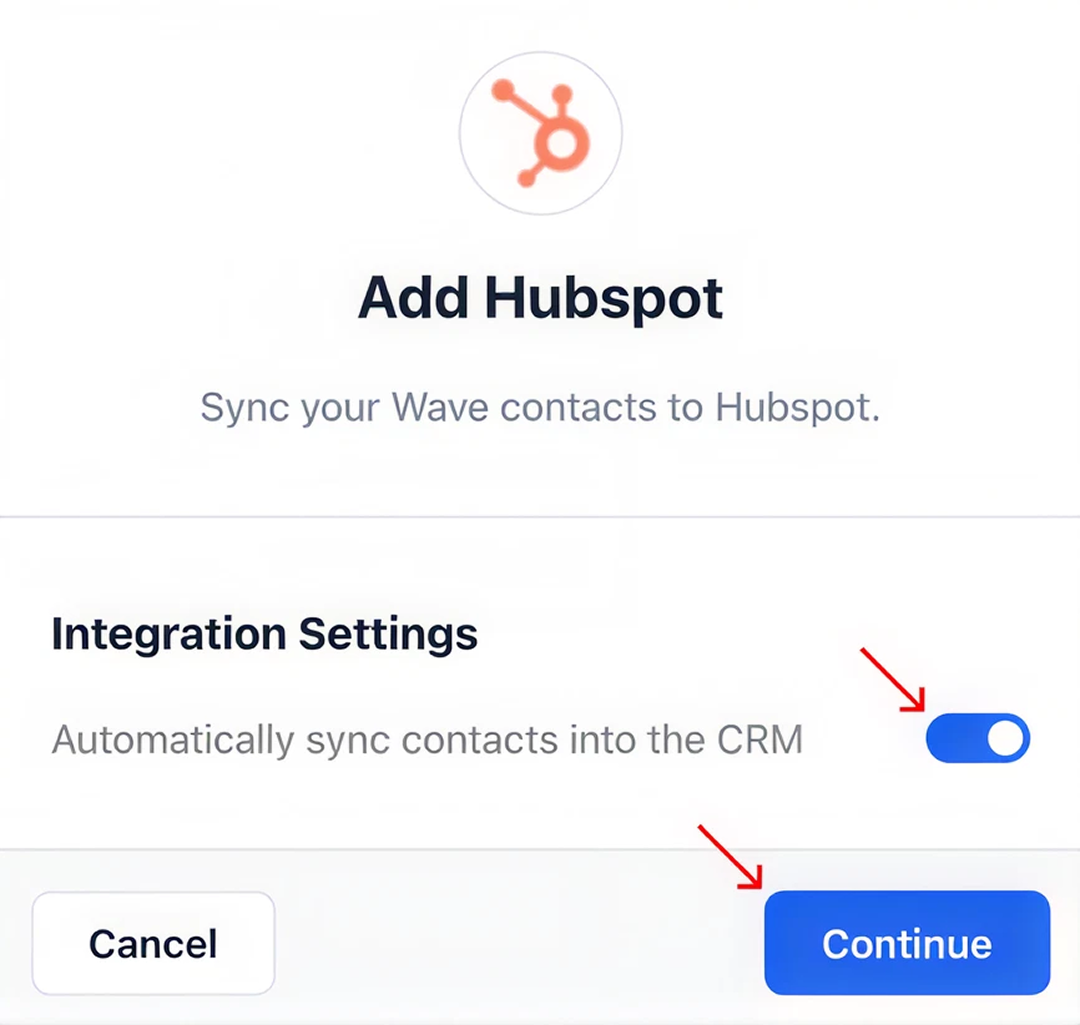
- A pop-up will open, allowing you to turn on contact auto sync between your Wave and HubSpot accounts. We recommend leaving this on. Press 'Continue.'
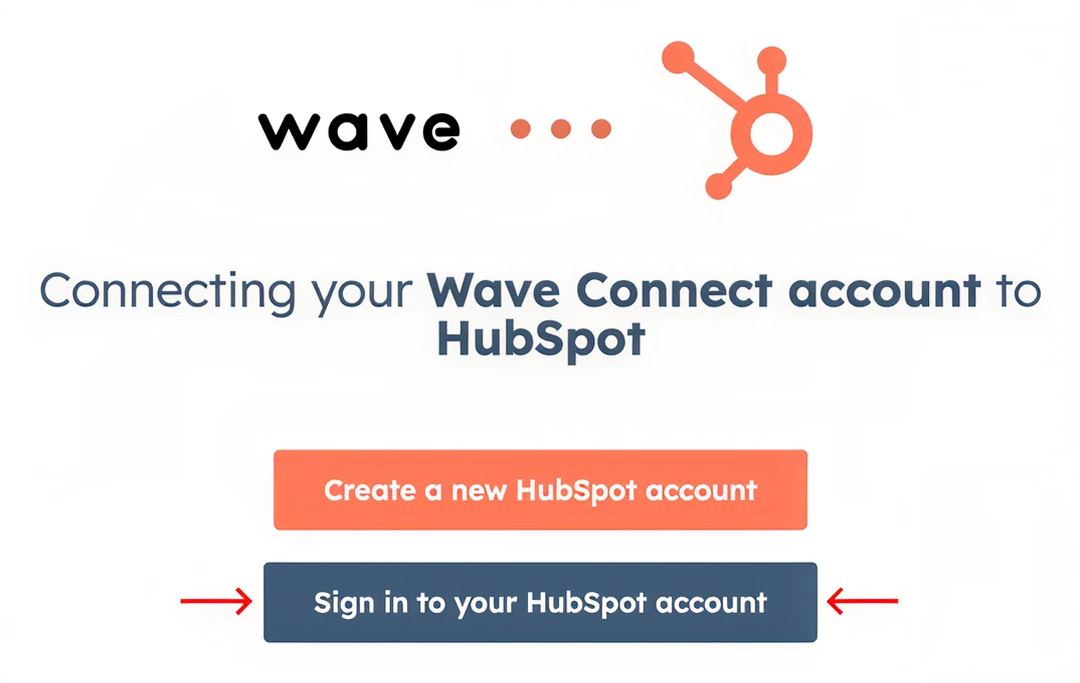
- A new tab will open asking you to authenticate your HubSpot account. Press 'Sign in to your HubSpot account.'
- Provide your HubSpot credentials in the fields provided. Press 'Log in.'
Note: The account you authenticate must be a Salesforce administrative account to ensure your integration works properly.
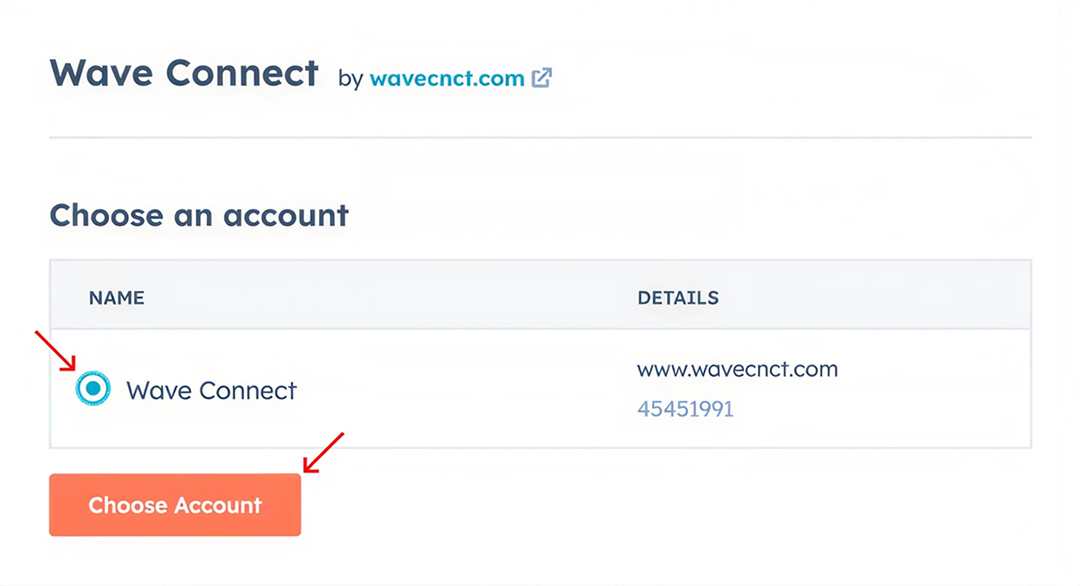
- In the following page, select the HubSpot account you wish to integrate to your Wave account. Press 'Choose Account.'
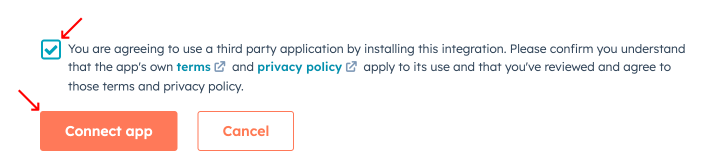
- After reviewing the permission prompt, check the agreement box to grant HubSpot access to your Wave account data. Press 'Connect app.' You will now be re-directed to your Wave account.
- Verify a successful integration of HubSpot by spotting the ‘Disconnect’ button across HubSpot.

Congratulations 🎉, you have successfully integrated HubSpot in your Wave account. Your Wave contacts will automatically sync to your HubSpot account.